How to Prepare for a Remote Job Interview
Remote interviews test your kit, your background and your answers all at once, so sort the setup days ahead and the talking points the night before.
Quick answer
- One week out, read the employer's website for its culture and values and pull six examples from your CV into STAR form (National Careers Service (UK)).
- The day before, record a ten-minute practice run and watch it back, checking you pause at the end of questions and look at the camera, not the screen.
- On the day, log in to the video software at least half an hour early to confirm microphone, camera and screen sharing all work.
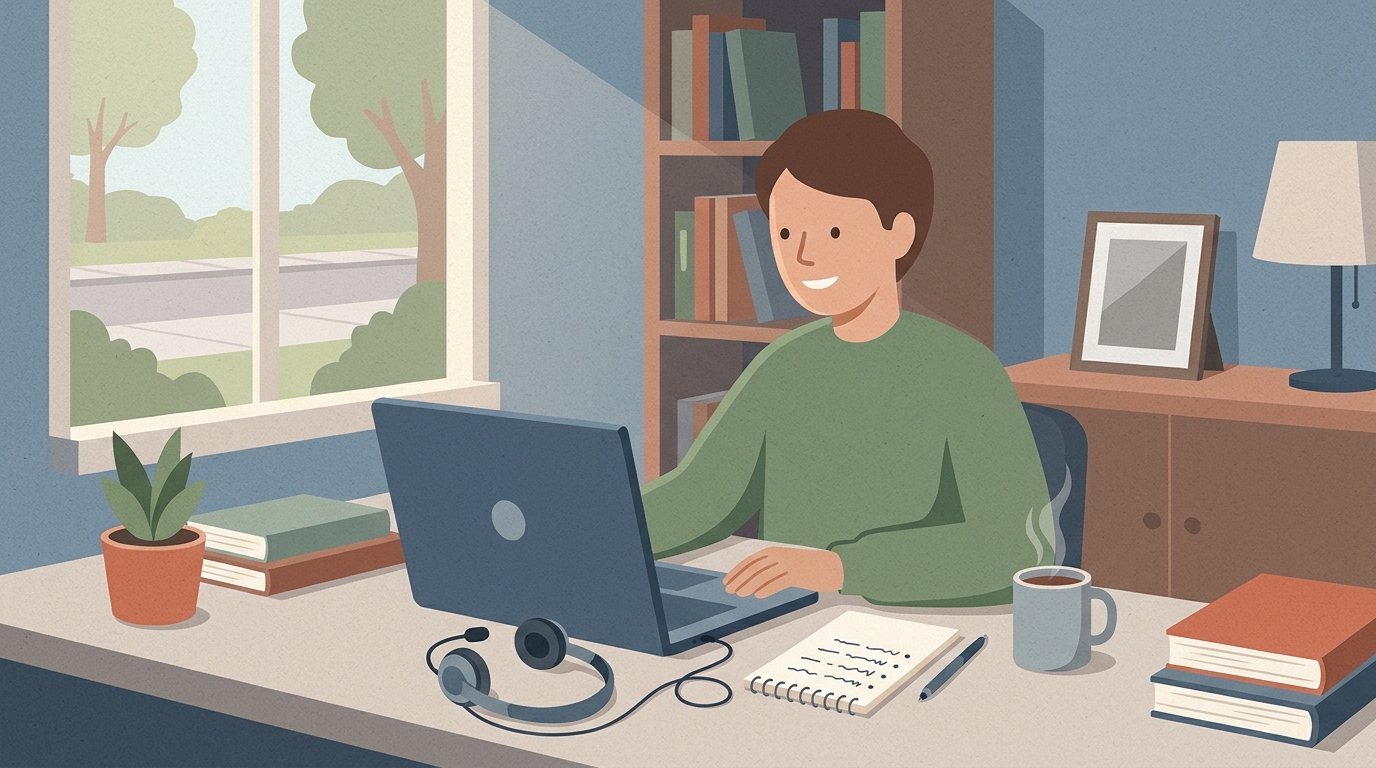
Preparing for a remote interview means doing everything you would do for an in-person one — researching the employer, rehearsing examples, choosing clothes — plus a second layer of technical checks: the platform, the microphone, the lighting and the room. Most of that second layer can be finished days ahead, so the only job left on the day is logging in early and talking.
Video and phone interviews became very common in the UK during the Covid-related lockdowns of 2020 and 2021 and have stayed common since, especially for first-round interviews (Expatica, 2025). Platforms and etiquette vary by employer and by country, so follow any guidance notes the recruiter sends you over the general advice here.
Your Prep Timeline
- One week before — research the employer and the role (40 minutes). Read the company website for its culture and values, re-read the job advert line by line, and follow any guidance notes the recruiter has sent. The National Careers Service (UK) recommends exactly this combination, plus reviewing your CV or application for the examples you will draw on.
- Five days before — build six STAR answers (90 minutes). Write out Situation, Task, Action, Result for six achievements, each with a number or named tool in the Result line. Keep them factual: Expatica (2025) warns that exaggerating or boasting about achievements can read as arrogance.
- Three days before — test the platform (20 minutes). A live interview may run on Skype, Microsoft Teams, FaceTime, Google Hangouts or Zoom (National Careers Service (UK)). Install it, then practise muting the microphone, turning the camera off, and sharing your screen — you may be asked to complete a practical task on screen during the session (Expatica, 2025).
- Two days before — set up the room (30 minutes). Find a quiet space where you will not be interrupted and tell anyone you live with the exact time window. Use a computer or laptop rather than a tablet or phone, with the camera raised to eye level, and add a lamp or face a window so the interviewer can see you clearly.
- The day before — record a practice run (30 minutes). Film yourself answering three questions and watch it back. Check that you speak clearly, don't rush, pause at the end of each question, sit up straight, smile, and look at the camera rather than the screen. Then confirm the date, time and the interviewer's contact details, and lay out plain, professional clothes without noisy jewellery.
- Morning of — log in at least 30 minutes early (30 minutes). Open the link, check your microphone, put on headphones for better sound, close every other window and turn off your phone. If you want prompt cards, split the screen so your notes sit on one half and the interview on the other.
- Within an hour afterwards — write your debrief (10 minutes). Note two or three things that went well and two or three to improve, while they are fresh. That list is your prep head start for the next interview.
Day-Of Checklist
- Laptop or computer plugged into mains power, charger connected and not just on battery.
- Camera raised to eye level on a stand or a stack of books, with your head and shoulders filling the frame.
- Headphones plugged in and tested by recording a 20-second voice memo and playing it back.
- Screen sharing tested once on a dummy file, and the mute and camera-off buttons located.
- A lamp or window in front of you, not behind, and the background cleared of anything distracting.
- Door closed, and anyone else in the building told the start and finish times out loud.
- Phone switched off and placed face down; every other window, tab and notification closed.
- Printed copy of your CV, the job advert and your five questions laid flat on the desk.
- The interviewer's name, phone number and the meeting link saved somewhere you can reach if the call drops.
- Smart, plain clothes on — full outfit, not just the top half — and noisy jewellery removed.
- A glass of water placed just outside the camera frame.
What to Say in Tricky Moments
Opening the call
When the video connects
"Good morning, Priya — thanks for making the time. Can you hear and see me clearly before we start?"
Tell me about yourself
A 35-second STAR opener
"I lead customer support at a logistics firm. Our ticket backlog hit 400 last spring, so I rebuilt the triage queue in Zendesk over six weeks and cut average response time from 14 hours to 3."
When the connection fails
Freezing, echo or dropped audio
"I'm sorry, you're breaking up at my end. Shall I drop out and rejoin so we can restart cleanly? If it keeps happening, I'll call you on the number in your email."
The National Careers Service (UK) advises telling the interviewer about technical problems and stopping and restarting if needed, rather than struggling on.
Deflecting an early salary question
Asked for a number in round one
"I'd rather understand the scope first. I've compared your advert with three current ads for the same title and my national statistics office's earnings data for this occupation — happy to give a figure once we've covered the role."
Asking about next steps
In the last two minutes
"Thank you both for your time. When can I expect to hear from you, and is there anything else you need from me in the meantime?"
Asking for feedback after a rejection
A short follow-up email or call
"Thanks for letting me know. I'm continuing to apply for similar roles — would you be willing to share any feedback on my interview that I could act on?"
Expatica (2025) suggests thanking the interviewers and asking when you will hear back, and following up politely for feedback if you are unsuccessful.
Frequently asked questions
How early should I log in?
Log in to the video software at least half an hour before the start time, as the National Careers Service (UK) advises. That leaves room to fix a microphone fault, reinstall the app or restart the machine without contacting the interviewer late.
What should I have on my desk?
Printed copies of your CV, the job advert and five questions to ask, plus the interviewer's phone number. Keep notes off the screen unless you split the screen so prompt cards sit on one half and the interview on the other.
What is a pre-recorded video interview?
You record answers alone and send them back. These usually open at a set time and stay open for a few days (National Careers Service (UK)), so record on the first day — that leaves time to re-record if the audio is poor.
Can I use my phone or tablet?
Use a computer or laptop instead. The National Careers Service (UK) recommends it, and you may be asked to share your screen for a practical task, which is awkward on a handheld device. Position the camera at eye level.
Sources
- National Careers Service (UK) — Video interview tips | Get careers information and advice
- Expatica — Applying for jobs in the UK: CV and interview tips (2025-04-28)

Written by
Noor writes personal essays and interviews about career changes, burnout, and starting over. She's interested in the stories people tell themselves about what a job is supposed to mean.